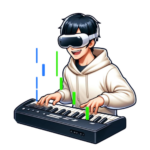
Can You Practice XR Piano Outdoors? The Potential for Parks and Street Pianos, and Near-Future Scenarios
Tomo
XR Piano

For those wondering, “Which smart glasses should I choose for XR piano?”
In this article, we’ll compare smart glasses and headset-style devices specifically for XR piano use.
We’ll cover both the devices Sigure currently supports and the devices we hope to see support for in the future.
Smart glasses and headset-style devices are effective for piano playing because, by leveraging AR and MR technology, they let you overlay a virtual note guide on top of your view of the real keyboard.
There’s no need to prepare separate sheet music, and since you can receive performance information without shifting your gaze, your focus on playing increases.
The following four criteria are important when choosing a device for XR piano use.
| Item | Meta Quest 3 / 3s (Recommended) | Apple Vision Pro | Pico 4 / 4 Ultra | XR Glasses (e.g. XREAL) |
|---|---|---|---|---|
| Type | MR headset | MR headset | MR headset | AR glasses (see-through type) |
| Passthrough | Full color, high resolution | Full color, best-in-class quality | Full color supported | Light see-through type |
| Spatial recognition accuracy | High accuracy | High accuracy | High accuracy | Lower |
| Standalone operation | Supported | Supported | Supported | Requires smartphone/PC connection |
| Sigure compatibility | Both models supported | Not supported | Not supported | Not supported |
| Weight | Quest 3: 515g / Quest 3s: 514g | 600g+ | Pico 4: 586g / Pico 4 Ultra: 580g | Around 70–80g |
| Price range | Mid-range (Quest 3s is relatively affordable) | Very expensive | Mid-range | Relatively affordable |
| Practicality for XR piano | The best option currently | Top performance, but no Sigure support | Solid performance, but no Sigure support | Weak spatial recognition, not well suited |
For XR piano use, “Sigure compatibility” is the single most important selection criterion. Since the Meta Quest 3 / 3s is currently the only supported device, it’s the clear choice if you want to start right now.
With full-color, high-resolution passthrough and highly accurate spatial recognition, Sigure supports both the Meta Quest 3 and 3s.
It operates standalone, with only a single MIDI cable required. Setup is simple, so you can start practicing the moment you feel like it.
The Quest 3s is available at a relatively affordable price, making it a strong option for anyone trying to keep costs down.
Its passthrough quality and processing power are currently top-tier, but the price is very high, and since Sigure doesn’t currently support it, we can’t recommend buying one specifically for XR piano.
We’re hopeful about future support.
Its specs are roughly comparable to the Meta Quest 3, but Sigure doesn’t currently support it.
Another challenge is that, compared to the Meta Quest ecosystem, there are fewer XR piano app options available.
At around 70–80g, being extremely lightweight and easy to carry is their biggest advantage. However, because they use a light see-through design, their spatial recognition accuracy is low, making it difficult to accurately overlay a note guide onto the keyboard at this time. This is a device we hope to see Sigure support as the underlying technology continues to improve.
Today’s XR glasses (see-through type) don’t have sufficient spatial recognition accuracy for XR piano use, but this could change significantly over the next few years as the technology advances.
If lightweight XR glasses can achieve highly accurate spatial recognition and note guide overlay, the burden of wearing a device would be dramatically reduced compared to headset-style devices, creating a more natural playing experience.
Sigure continues development with future support for XR glasses technology in mind, as it matures.
A. Both are compatible with Sigure. If you want to keep costs down, the Quest 3s is a good choice; if you care more about passthrough image quality and processing power, the Quest 3 is recommended.
A. They’re not supported at this time, but we’re considering support once XR glasses’ spatial recognition accuracy improves. Please check our official site for the latest information.
A. Since the Meta Quest 3 weighs 515g, you may feel some strain on your neck during long sessions. Switching to a third-party elite strap shifts the center of gravity backward, reducing the strain. We recommend taking a break roughly every 30–45 minutes while practicing.
A. The Meta Quest 3 / 3s can be used while wearing glasses if you attach a glasses spacer.
If you want to start XR piano right now, pairing the Meta Quest 3 / 3s with Sigure is the best option.
Choosing a device is the first hurdle in starting XR piano. Choosing based on specs alone can easily lead you into the trap of “there’s no compatible app,” so we recommend always checking app compatibility first.
We believe that once XR glasses technology matures further, an era will come where you can enjoy XR piano with a lighter, more natural fit. We’ll keep developing Sigure so it’s ready to support that the moment it arrives.