How XR Piano Is Transforming the Digital Transformation of Music | 3 Ways Traditional Piano Lessons Are Being Reinvented
Tomo
XR Piano

“Does using XR really help you improve at piano?” If you’ve ever wondered this, this article is for you.
In this article, we’ll clearly explain the concrete benefits of practicing piano with XR (Extended/Mixed Reality) and how it differs from traditional self-study and piano lessons.
XR (Extended Reality) is an umbrella term for VR (Virtual Reality), AR (Augmented Reality), and MR (Mixed Reality). XR piano refers to systems that use these technologies to support keyboard practice.
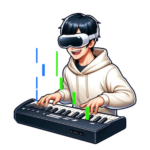
Specifically, imagine playing the piano while wearing AR glasses: the position of the next finger to press, along with sheet music guidance, is displayed in real time directly over the physical keyboard. Using smart glasses or a headset, you can experience digital visual information and real-world performance simultaneously.
You play the piano in time with falling notes (note bars), and points are added based on Bad/Good/Great ratings and combo count.
The practice modes are also packed with features — like an “Auto-Accompaniment” function that plays the left-hand part for you while you practice the right hand, and a “Stay Notes” function where notes only advance once you play the correct pitch. We highly recommend trying these out!
What kind of differences do you actually notice when practicing piano with XR compared to traditional methods? Here are seven key benefits.
Since the next key to press is displayed visually, you no longer need to glance back and forth between the sheet music and the keyboard.
Even without knowing how to read notation, you can play a song just by following the on-screen guide — dramatically lowering the first hurdle for beginners with no musical experience.
Beyond just hearing a metronome, you can feel the beat through light and motion, which speeds up how quickly you develop a sense of rhythm.
With a roll-up keyboard and AR glasses, you can set up a practice environment no matter where you are.
With scores and feedback displayed in real time, practice feels like playing a game — making it easier to stick with it every day.
Finger numbers are displayed in real time in your field of view, so it’s immediately clear which finger you should use to play each note.
Entering an XR space makes it harder for distractions to creep in, helping you maintain high concentration even during short practice sessions.
XR piano isn’t a cure-all. Let’s break down how it compares with existing learning methods.
| Item | XR Piano | Piano Lessons | Self-Study (Sheet Music Only) |
|---|---|---|---|
| Cost (monthly) | Equipment cost only (low ongoing cost after initial investment) | ¥5,000–20,000/month | Sheet music cost only |
| Location | Mainly at home | Lesson studio only | Mainly at home |
| No sheet music needed | Not needed | Often required | Required |
| Instant feedback | Real-time | Feedback from teacher | None |
| Beginner retention rate | High (gamification) | Medium to high | Tends to be low |
| Depth of musical mastery | Supplementary | High | Moderate |
XR piano is especially effective as a “bridge from beginner to intermediate level.” The most efficient path to improvement is to combine it with professional instruction once you’ve reached a certain level.
If any of the following apply to you, you’re especially likely to benefit from XR piano.
If you’re thinking “I want to try this,” you can get started with the following 3 steps.
The app currently runs on the Meta Quest 3 XR device.
Any MIDI-compatible digital piano can be connected to your XR device.
First, set a goal of just one favorite song. The sense of accomplishment from playing that first song will become your motivation to keep practicing.
With the XR piano app “Sigure,” even beginners can master their first song in the shortest possible time.
A. Yes. Since the XR guide visually shows you “the next key to press,” you can get started without any knowledge of reading sheet music or music theory.
A. The main cost is the initial purchase of the XR device. Once you have it, the only additional expense is purchasing extra songs (¥400–600 per song).
A. The Meta Quest is designed for users aged 13 and up. (Children aged 10–12 can use it through a Meta account managed by a parent or guardian.)
A. VR is a fully virtual space, AR overlays digital information onto the real world, and MR blends the real and virtual worlds together. XR is the umbrella term used to refer to all three of these technologies collectively.
“I’d love to try playing the piano, but I probably can’t because I can’t read sheet music…” If you’ve ever given up on that thought, we especially want you to experience XR piano.
The reason we created Sigure was that we wanted to widen the doorway into enjoying music. You don’t need to overthink it.
Start by just trying to play one favorite song. That moment of “oh, I can actually play this” will surely become the motivation for your next practice session.