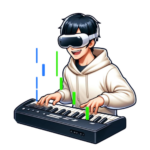
The Complete Guide to Getting Started with XR Piano
Tomo
XR Piano

For those struggling with, “I have no way of knowing if my fingering is correct when self-studying.”
In this article, we’ll explain how XR piano visually shows you how to move your fingers, along with the benefits this brings.
Fingering is extremely important when it comes to improving at piano. Even for the same note, which finger you use can significantly affect how smoothly you transition into the next phrase. If incorrect fingering becomes a habit, it can be difficult to fix later on.
However, with self-study, there’s been no way to confirm whether your current fingering is correct. With a teacher, they can point out “use this finger,” but that’s not possible when studying alone. XR piano solves this problem visually.
Sigure’s note guide is displayed directly over your real keyboard using MR (Mixed Reality) technology. Since the next key to press is shown visually, it’s immediately clear “which key to press, in what order.”
Since you no longer need to hunt for keys while following sheet music with your eyes, you can keep your fingers on the keyboard while preparing for your next move. This motion of “keeping your fingers in place while looking ahead” leads to smoothly developing your fingering technique.
Since you can see where the next key is before the note even falls, you can prepare your finger in advance. The habit of “seeing first, preparing, then playing” — rather than “playing, then thinking” — develops naturally.
Since you no longer need to look back and forth between sheet music and the keyboard, you can focus entirely on your fingers and the keys. With your gaze stable, your finger movements become more precise.
Turning on the auto-accompaniment function lets you focus on practicing just one hand. Solidifying right-hand fingering first, then moving to the left, is the fastest route to efficiently learning fingering in stages.
When you turn on the Stay Notes function, the notes pause and wait until you play the correct pitch. Since you can move forward at your own pace regardless of tempo, checking each note one at a time, you can practice while carefully confirming the correct finger position without rushing.
The Stay Notes function and the auto-accompaniment function can be used together. You can practice focusing purely on the right hand’s fingering while letting the app handle the left-hand accompaniment. Once one hand’s fingering is solid, then bring both hands together.
For phrases where your fingering feels unstable, set the song’s tempo to slow and practice them repeatedly. Once you can play accurately at a slow tempo, gradually increase the speed.
A. Sigure’s notes display finger numbers (indicating which of fingers 1–5 to use) at the points where they matter, allowing for reasonably correct fingering practice. If you want to pursue more advanced expressiveness, we recommend combining this with professional instruction.
A. Yes. You can turn on the Stay Notes function and use auto-accompaniment simultaneously. You can check each note at your own pace while letting the app handle the left-hand accompaniment, allowing you to practice the right hand.
A. By practicing slowly with the Stay Notes function, checking each note one at a time, you can repeat the correct motion. That said, fixing habits built up over many years takes time. It’s important to keep going without rushing.
Try an XR piano that lets you check your finger movements visually while you practice.
“I don’t know which finger to use” is one of the hurdles every piano beginner inevitably runs into.
XR piano’s note guide helps remove that hurdle visually. Start by getting comfortable simply moving your fingers.