What Is Sheet Music Display in XR Piano? How It Works and Recommended Apps for Beginners [Meta Quest 3 Compatible]
Tomo
XR Piano

For those wondering, “Can you use XR piano without your real-world view being blocked?”
In this article, we’ll explain how “video overlay” — the core technology behind XR piano — works, and just how comfortable an experience it brings to playing piano.
Among XR technologies, the biggest defining feature of AR (Augmented Reality) and MR (Mixed Reality) is the ability to display digital information layered on top of your view of the real world, without losing that real-world view. Because virtual information is overlaid on top of the real-world footage, your performance on the real piano and the virtual guide blend together naturally.
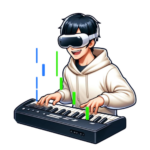
Sigure uses an MR (Mixed Reality) approach built on the Meta Quest 3 / 3s’s passthrough feature. Since only the note guide is overlaid while you continue to see the real keyboard, you get a natural experience while still using a real piano.
The Meta Quest 3 / 3s features “full-color passthrough,” which captures real-world footage in real time using cameras on the front of the headset and projects it onto the lenses.
By overlaying Sigure’s note guide on top of this footage, the XR piano experience becomes possible.
The Meta Quest 3 achieves full-color, high-resolution passthrough, letting you clearly see your real keyboard and your own hands.
The previous model, the Meta Quest 2, only offered monochrome passthrough, which made it hard to distinguish the white and black keys, sometimes getting in the way of playing. The Quest 3 has dramatically improved on this issue.
By overlaying the note guide on top of the passthrough footage, you get the visual experience of “light falling onto your real keyboard.”
Since the virtual guide and your real hands appear within the same field of view, you can naturally press the keys while watching the guide.
When using Sigure on the Meta Quest 3, your piano and the notes overlap through crisp, clear passthrough.
Your own hands and the keyboard remain fully visible. Being able to visually confirm exactly which key you’re pressing makes a huge difference in how reassuring it feels while you play.
Because the physical sensation of pressing a real key visually lines up with the virtual note guide, you get a natural playing experience where sound, touch, and sight all work together.
Since passthrough lets you see what’s around you, you can move around your room with confidence. You can even grab a drink or chat with family while keeping the headset on.
Since the visuals are based on real-world light, they tend to put less strain on your eyes compared to pure VR. This makes it easier to avoid eye fatigue even during long practice sessions.
To get the most out of the overlay between the passthrough footage and the note guide, keep the following points in mind.
A. The Meta Quest 3’s passthrough is full color and high resolution, providing a level of sharpness close to real life. That said, there’s a slight amount of latency and a small difference in resolution compared to your naked eye. The quality is more than sufficient for playing.
A. If calibration is done accurately, it will appear aligned with almost no drift. You’ll need to recalibrate every time you restart the app.
A. Sigure uses an MR (Mixed Reality) approach built on passthrough. Since it overlays a virtual note guide on top of your view of the real keyboard, the experience is closer to AR (Augmented Reality). XR is the umbrella term covering all of these technologies.
A. If it’s too dark, the quality of the passthrough footage degrades, making it harder to see your hands and the keyboard. We recommend using it in an environment with enough light to clearly see your hands.
Try an XR piano experience that lets you keep your real-world view.
We believe the essence of XR piano lives in the simple experience of “playing along with a virtual guide while looking at your real keyboard.” The moment reality and the virtual world blend together naturally is one that always surprises first-time users.
We hope you’ll experience that feeling for yourself, even just once.